

Manage allowed Salesforce organizations in Revenue Grid#
Platform admins can manage the list of allowed Salesforce organizations in Revenue Grid. This lets you control which Salesforce environments can connect and keep your configuration accurate as your setup changes.
This is especially useful when working with multiple environments, such as production and sandboxes used for testing or onboarding, where organizations are regularly created or retired.
Before you begin#
You must have Platform admin permissions in Revenue Grid.
You need the Salesforce Organization ID you want to allow.
Get your Salesforce Organization ID#
In Salesforce, click the gear icon in the top-right corner.
Select Setup.
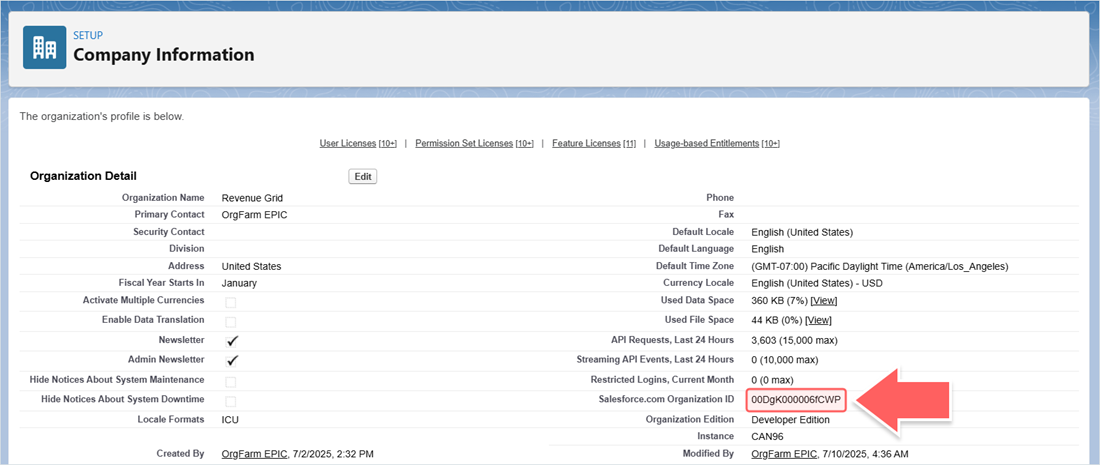
In the Quick Find box, enter Company Information and open the page.
Locate Salesforce.com Organization ID and copy the value.
Add a Salesforce org to the allow list#
Sign in to the Revenue Grid web app using your Platform admin credentials.
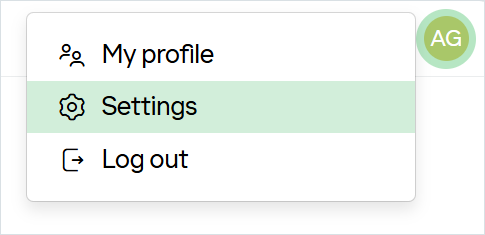
Select your profile icon, then select Settings.
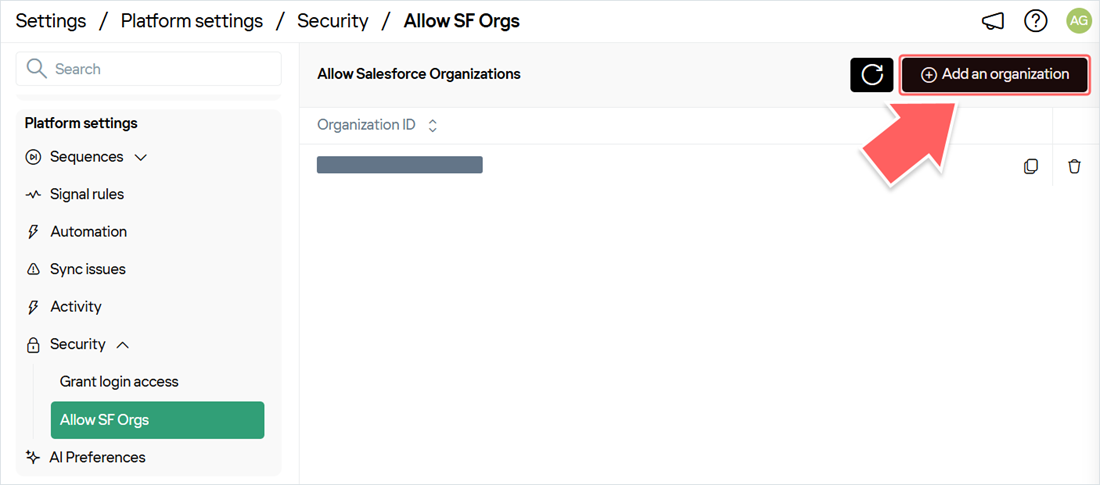
Under Platform settings, go to Security > Allow SF Orgs.
Select Add an organization.
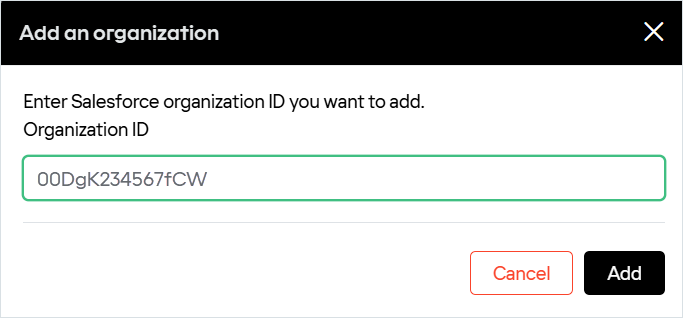
Enter the Salesforce Organization ID and select Add.
The organization is added to the list of allowed Salesforce orgs.
Remove a Salesforce org from the allow list#
Sign in to the Revenue Grid web app using your Platform admin credentials.
Select your profile icon, then select Settings.
Under Platform settings, go to Security > Allow SF Orgs.
In the list, locate the Salesforce Organization ID you want to remove and select the Remove () icon.
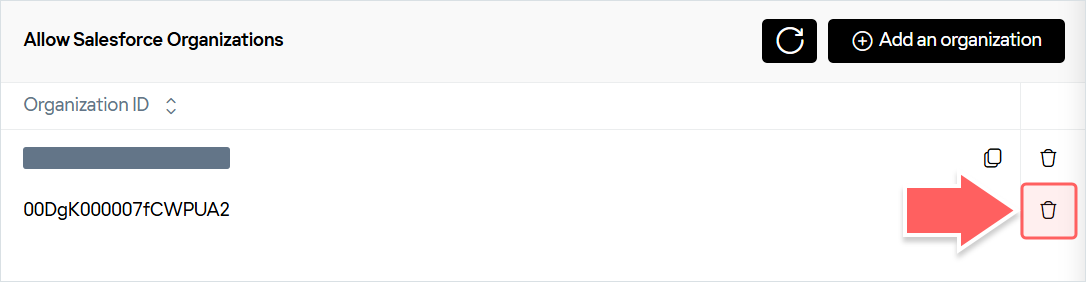
In the confirmation dialog, select Delete.
The organization is removed from the allow list.
Sign-in error for non-allowed Salesforce orgs#
If a user tries to sign in to Revenue Grid from a Salesforce organization that is not included in the allow list, the sign-in is blocked and the following error message is displayed: “SFA-034: The Salesforce Organization Id is not allowed on this tenant.”
To resolve this issue, a Platform admin must add the Salesforce organization ID to the allow list.