Open websites and LinkedIn profiles from Contacts, Leads, and Accounts#
Supported platforms: Exchange Server
 Microsoft 365
 Google
With Context Panel, you can quickly open an associated webpage or LinkedIn profile of your Contacts, Leads, and Accounts in two mouse clicks.
Note
To perform this search in LinkedIn, you must be logged in to your LinkedIn account.
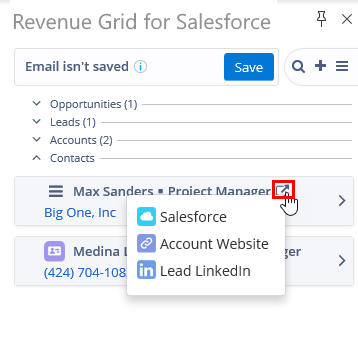
To search for a Contact’s, Lead’s or Account’s LinkedIn page or open associated webpage, hover the mouse over the record’s header in the Context Panel and click the open icon that appears next to the record’s name. Then select one of the following:
Salesforce: open the record in Salesforce
Account Website: open web address specified in the linked Account (or corporate email domain)
LinkedIn: search the Lead/Contact in LinkedIn