

Smart Sequences text editor#
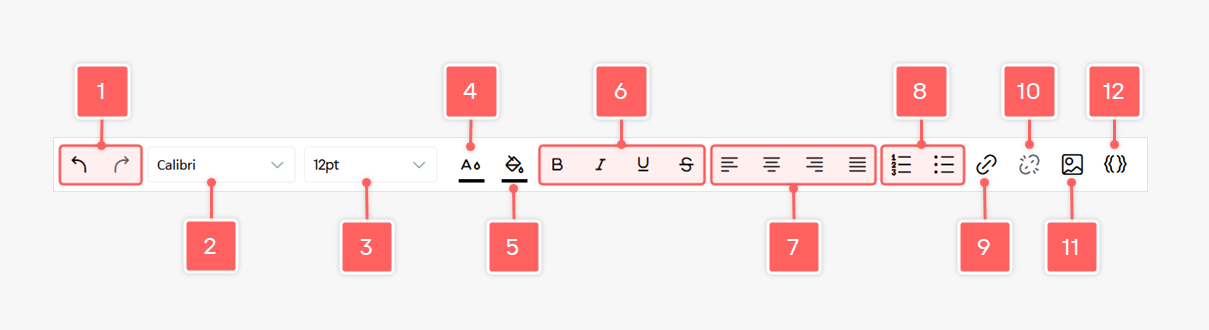
The Smart Sequences text editor supports standard text formatting and enhancements.
# |
Description |
|---|---|
1 |
Undo or redo the last action. |
2 |
Change the font. |
3 |
Change the text size. |
4 |
Change the text color. |
5 |
Change the text background color. |
6 |
Apply text formatting (bold, italic, underline, strikethrough). |
7 |
Align text to the left, center, right, or justify. |
8 |
Create a bulleted or numbered list. |
9 |
Insert or edit a hyperlink. |
10 |
Remove a hyperlink. |
11 |
Insert an image (for example, a company logo). |
12 |
Insert a merge field (for example, your name or title). |