

Bounce protection in Smart Sequences#
Bounce protection helps prevent damage to your sender reputation by monitoring the bounce rate of individual sequences.
A high bounce rate often indicates that a sequence contains invalid or outdated email addresses. If too many emails bounce, email providers may view future messages from your organization as unwanted, which can cause your emails to be filtered or blocked.
Bounce protection automatically identifies sequences with unusually high bounce rates and can pause them to help prevent further deliverability issues.
High bounce rate warnings#
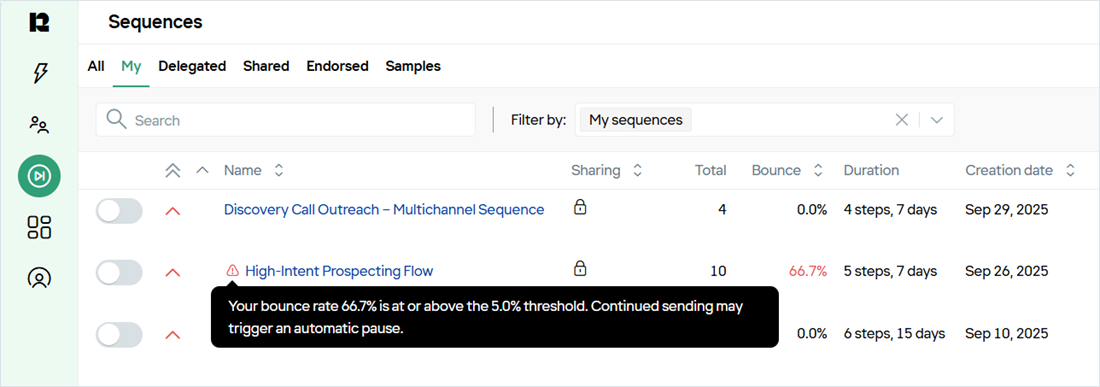

Smart Sequences displays a warning when a sequence’s bounce rate reaches or exceeds the bounce rate threshold configured by your administrator.
You may see the warning on the Smart Sequences page and on any tab of the sequence page.
A warning doesn’t always mean that the sequence will be paused immediately. Depending on your organization’s bounce protection settings, Smart Sequences may continue monitoring the sequence before taking action.
Automatic pause#
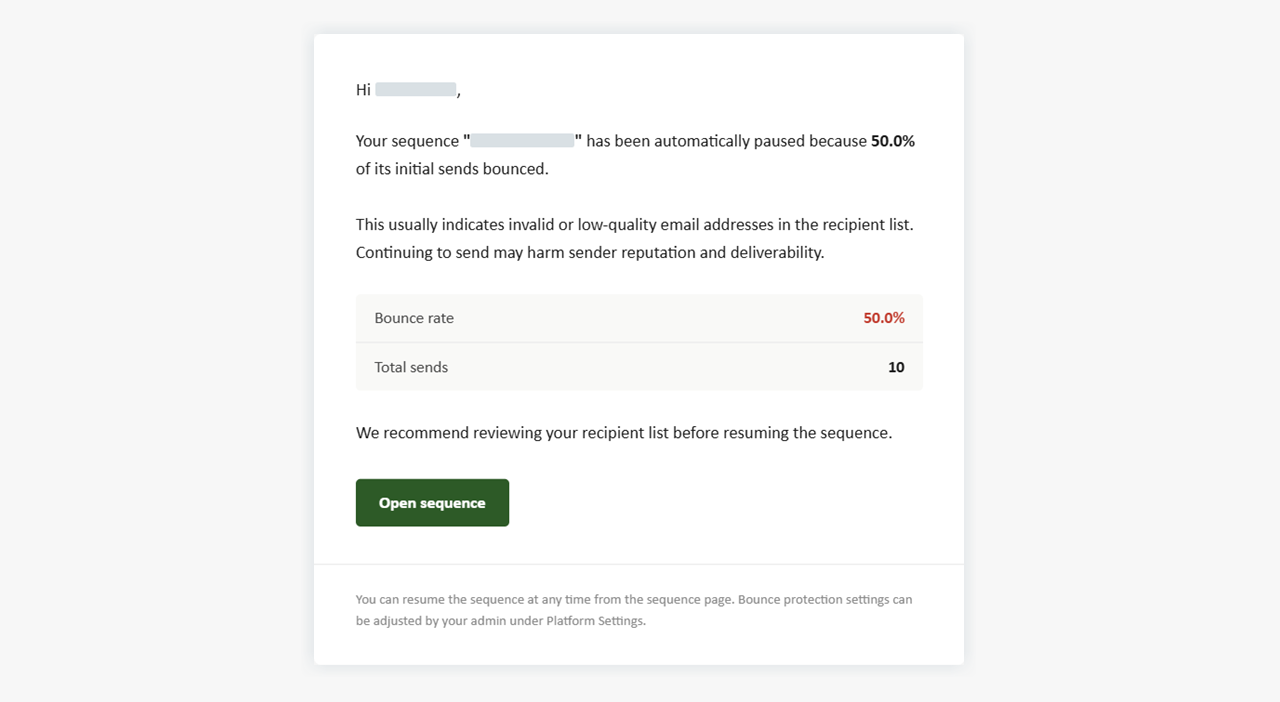
Smart Sequences can automatically pause an active sequence when its bounce rate indicates a potential deliverability risk.
When a sequence is paused by bounce protection, it is switched to a paused state, and the sequence owner receives an email notification.
No recipients are removed from the sequence. Recipients remain in the sequence and keep their current position. If you resume the sequence later, it continues from where it stopped.
What causes a sequence to be paused?#
A sequence can be paused when both of the following conditions are met:
Its bounce rate reaches or exceeds the configured bounce rate threshold.
The sequence reaches the configured minimum send volume.
Early protection rule#
A sequence is also paused when 50% or more of its first 10 sends bounce.
This rule helps stop sequences with invalid recipient lists before they can significantly affect sender reputation.
The early protection rule is built in and can’t be changed.
Resume a paused sequence#
You can resume a sequence paused by bounce protection.
When you activate it, Smart Sequences displays a confirmation dialog showing the current bounce rate and the number of bounced recipients.
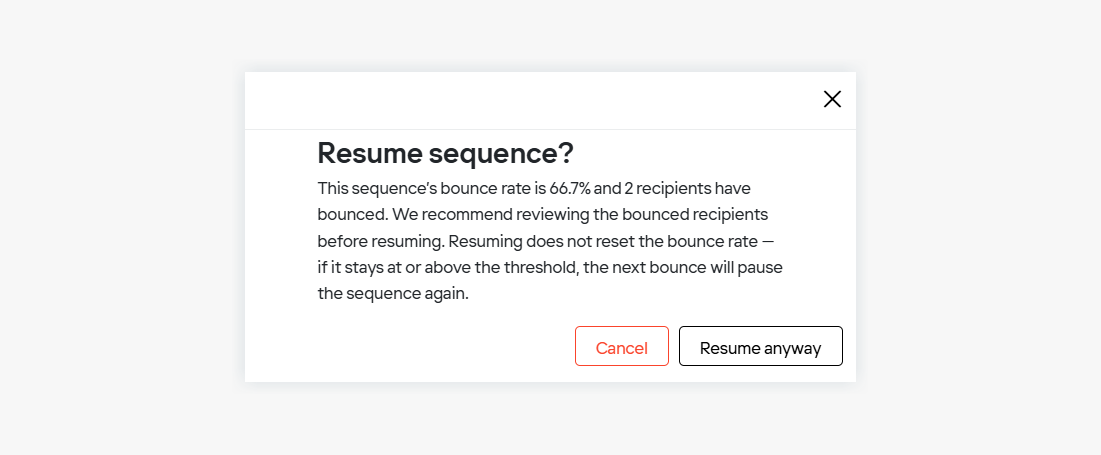
Review the bounced recipients and verify that the remaining recipient list is accurate before selecting Resume anyway.
Bounce rate is not reset after resuming
Smart Sequences calculates the bounce rate across the entire lifetime of the sequence. Resuming a sequence doesn’t reset its bounce rate.
If the bounce rate remains at or above the configured threshold after the sequence is resumed, the next bounce may pause the sequence again.
Bounce protection configuration#
The bounce rate threshold and minimum send volume are configured by your organization’s administrators. These settings determine when warnings appear and when sequences may be paused automatically.
For details about how these settings work and how they’re configured, see Set up bounce protection for sequences.