

Manage engagement tracking#
By default, Smart Sequences track email opens and link clicks by default to show how recipients engage with your emails. If deliverability is a higher priority, you can turn off tracking for specific sequences.
Why manage engagement tracking#
Email tracking uses hidden elements and special tracking links, which some email providers and security tools may treat as spam signals. Turning off tracking can help improve inbox placement when deliverability is a priority.
At the same time, tracking helps you understand how recipients engage with emails, so you can refine messaging and follow up more effectively.
Choose the right balance for each sequence based on your goals.
What happens when tracking is disabled#
When tracking is turned off for a sequence:
Emails are sent without tracking elements used to record opens and clicks.
Open and click data is not shown in the Statistics and Recipients views.
Changes apply only to future emails sent from the sequence.
Historical engagement data is preserved. If tracking is re-enabled, previously recorded data becomes visible again.
Turn email tracking on or off#
You can turn email open and link click tracking on or off at any time in sequence settings.
Open the Smart Sequences tab.
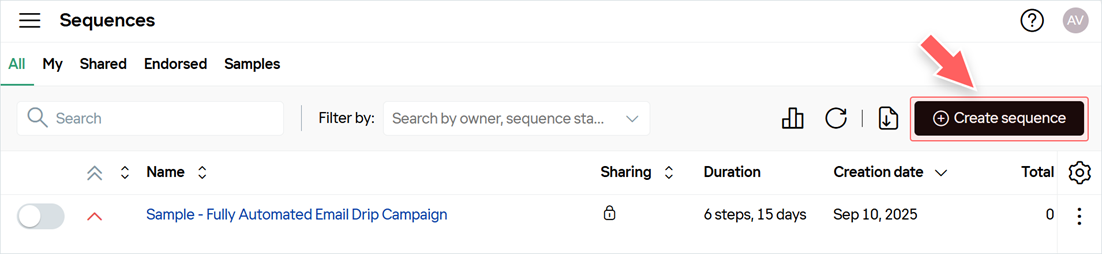
Select Create sequence.
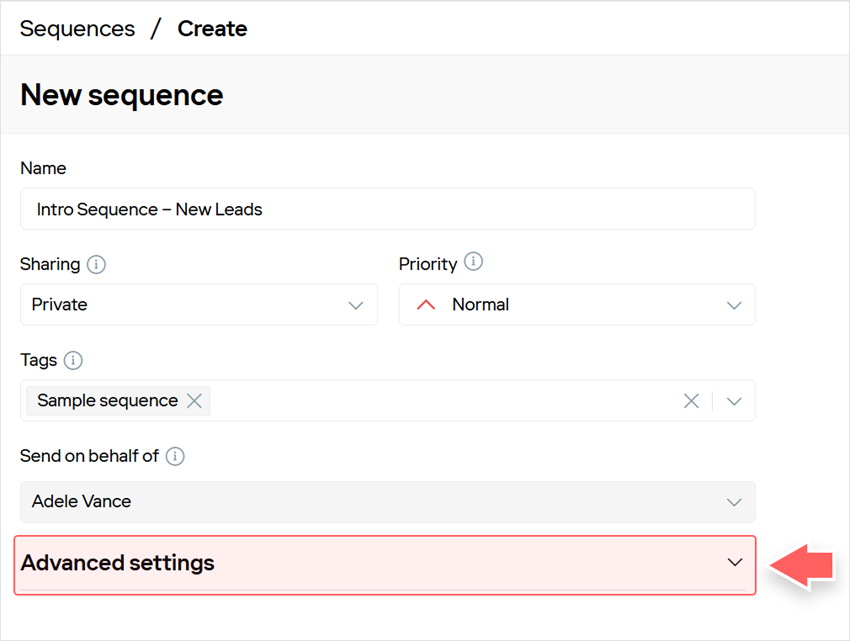
Expand Advanced settings.
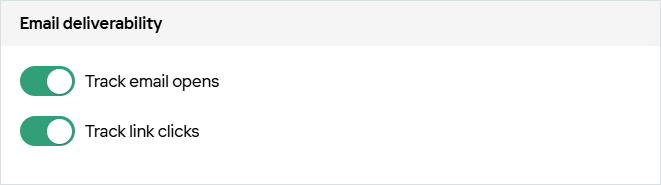
In the Email deliverability section, turn on or off:
Track email opens
Track link clicks
Open the Smart Sequences tab.
Select the sequence.
Go to the Settings tab.

In the Email deliverability section, turn on or off:
Track email opens
Track link clicks
Changes apply to all future emails sent from the sequence.
Default settings and admin controls#
By default, Track email opens and Track link clicks are enabled.
Your Revenue Grid admin can change these defaults or restrict tracking for your organization.
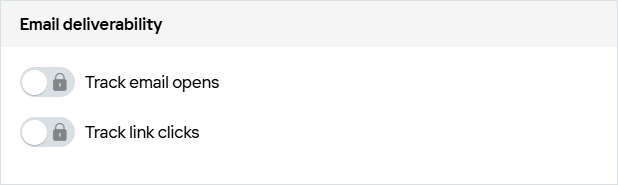
If tracking is restricted at the organization level, tracking settings are turned off, so you cannot enable tracking for sequences.
For admin-level instructions, see Manage engagement tracking for your organization.