

General sequence settings#
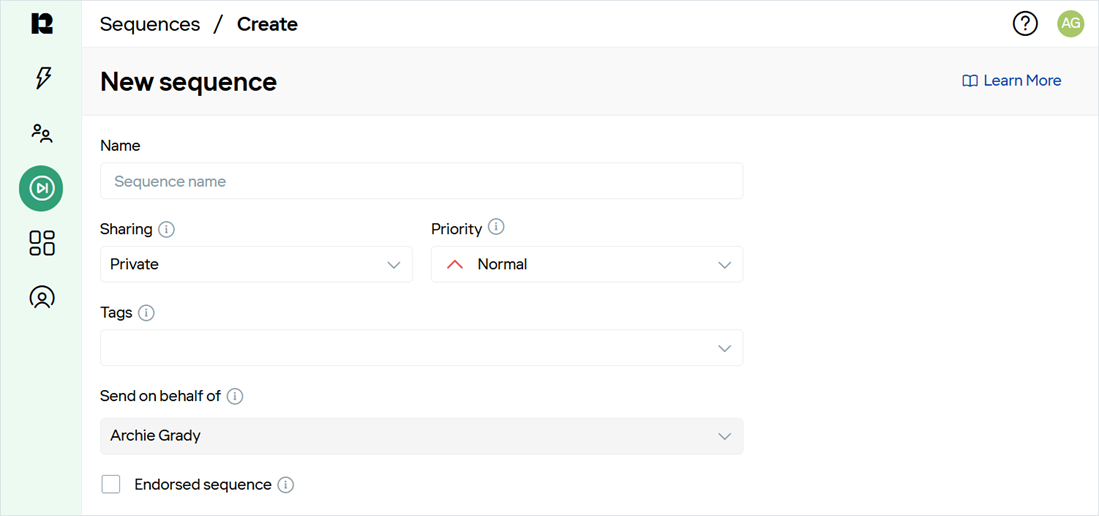
This article describes the general settings available when configuring a sequence. These settings control the sequence name, priority, sharing behavior, and sending logic.
Setting |
Description |
|---|---|
Name |
Sets the sequence name. You can rename the sequence at any time. |
Priority |
Defines how steps are scheduled:
|
Sharing |
Defines who can access and use the sequence:
|
Send on behalf of |
Defines whose email address is used for sending sequence steps. Options vary by sharing type:
|
Tags |
Adds tags to the sequence for easier classification and search. You can select an existing tag from the drop-down list or enter a new one. |
Endorsed sequence (admins only) |
Admins can mark a sequence as Endorsed to signal that it is proven effective and recommended for use. |
Sender’s email address (for Google users) |
If you are a Google user with multiple Gmail aliases, select which address to use for sending sequence emails. Only available in private sequences. |