

Launch a sequence#
Once your sequence is fully set up, you’re ready to start reaching out to your prospects.
Before launching, take a moment to review this pre-launch checklist to ensure everything is in place and running as expected.
Choose how you’d like to launch your sequence:
Open the sequence you want to run.
Go to the Overview tab.

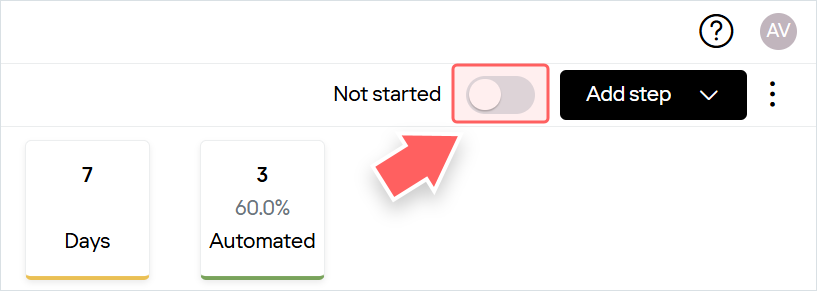
In the top-right corner, turn on the toggle next to the Add step button.
In the left-side navigation, select Smart Sequences.
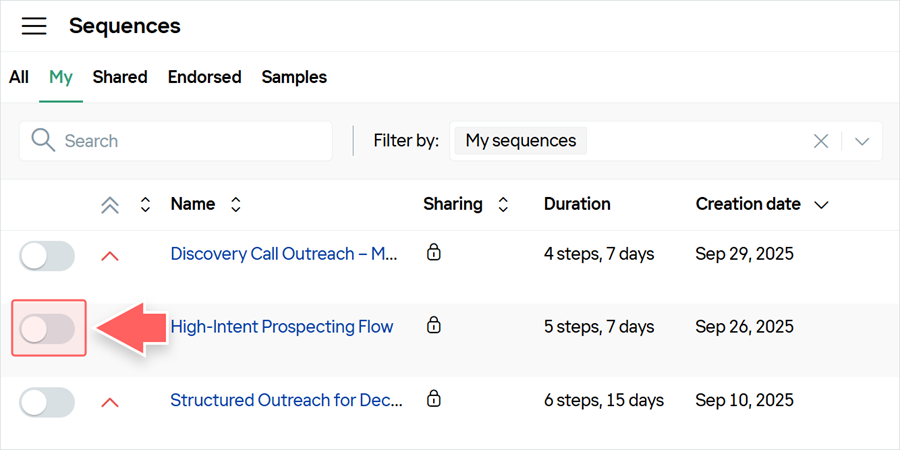
In the All or My tab, find the sequence you want to run.
Turn on the toggle next to the sequence name.
Once the sequence is active, outreach will begin automatically according to the configured step schedules and delays.