

Map Smart Sequences data to your own Salesforce fields#
Synchronize Smart Sequences data to your own Salesforce fields instead of relying on fields provided by the Revenue Engage managed package.
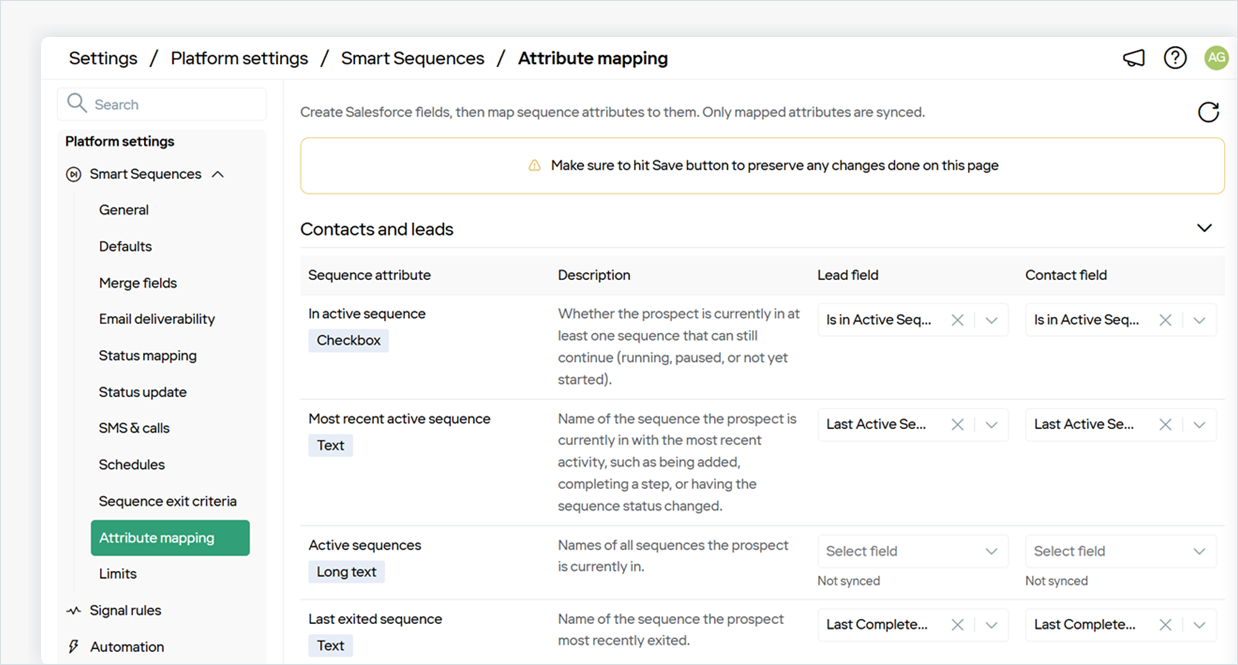
Platform admins can configure mappings for Salesforce Lead, Contact, Task, and Campaign objects. Only mapped attributes are synchronized.
To configure attribute mapping, go to Settings → Platform settings → Smart Sequences → Attribute mapping.
If you already use fields from the Revenue Engage managed package, your existing mappings are preserved automatically. You can keep them or map attributes to other Salesforce fields.