

Set a default Opportunity table layout for your organization#
Admins can now define a default Opportunity table layout for the entire organization, ensuring a consistent starting point for all users while still allowing personal customization.
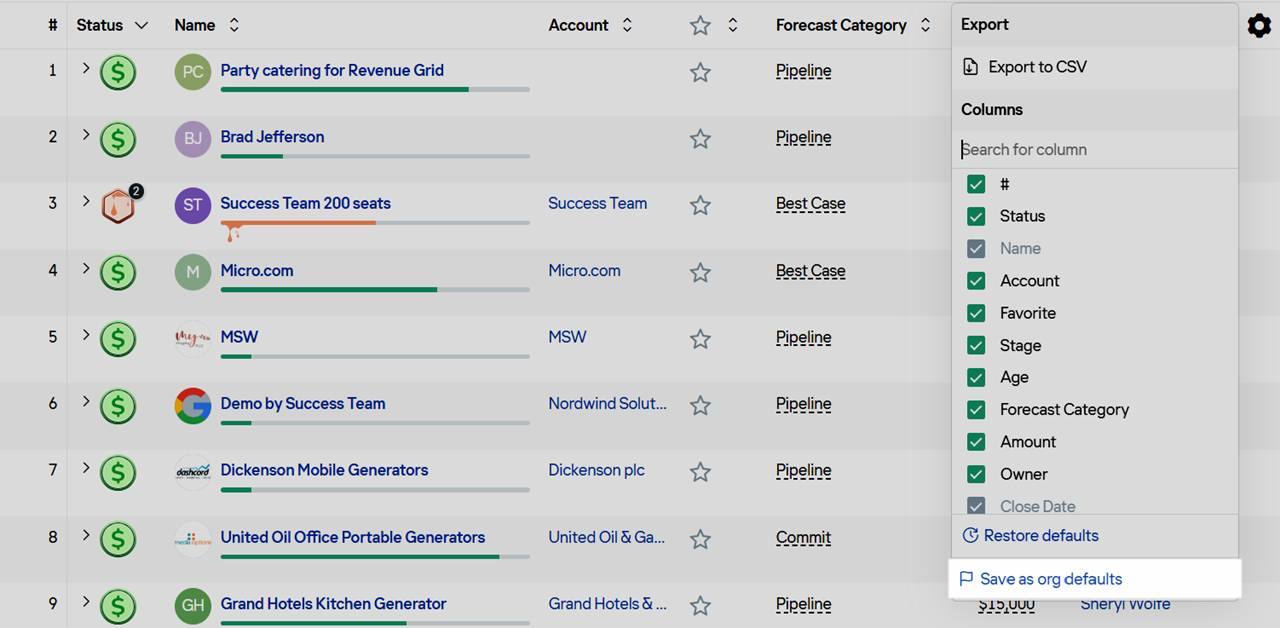
With this update, admins can configure a standard table view for Opportunities report by choosing which columns appear, adjusting their order, and setting default sorting. The layout is saved using Save as org defaults in the Table actions menu.
The default table layout is automatically applied for:
users who haven’t customized their own table
users who reset their view using Restore defaults
users who clear their browser data
Individual users can still personalize their table layout at any time, and their changes remain in place until they choose to reset them.