

Connect external calendars to Salesforce Scheduler Adapter using ICS#
Include availability from additional calendar providers when scheduling meetings. You can now connect external calendars to Revenue Grid’s Salesforce Scheduler Adapter (SSA) using ICS links.
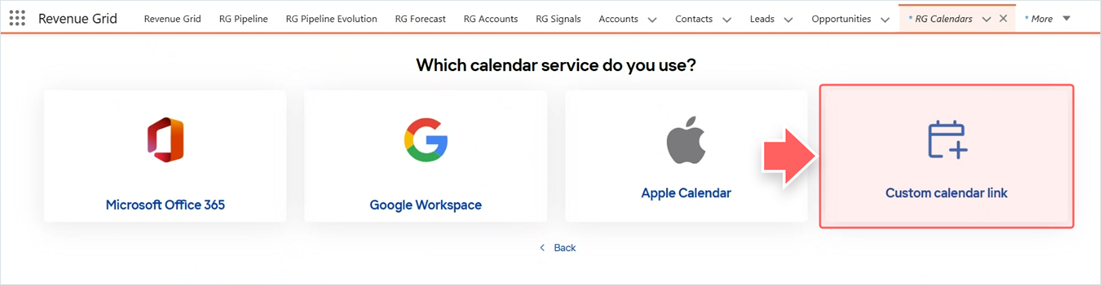
Previously, SSA supported calendar connections only from Microsoft 365, Google Workspace, and Apple Calendar. Now, in addition to these providers, you can connect calendars from any other services that allow sharing availability via an ICS (iCalendar) link.
Revenue Grid reads your availability from connected calendars and considers it when suggesting meeting times.
To add a calendar:
Copy the ICS subscription link from your calendar provider:
In your provider, find the Subscribe, Export, iCal, or ICS link.
Copy the full URL (it may start with
https://orwebcal://and may or may not end with.ics).
In the RG Calendars widget, click Add calendar.
Select Custom calendar link.
In the Calendar name field, enter a recognizable name for the calendar.
In the ICS URL field, paste the link you copied.
Click Connect.
Note: Calendars added via an ICS link are read-only and are used only to check availability. Keep the link private, as it may contain access tokens.
Learn more about managing calendars in Revenue Grid Salesforce Scheduler Adapter