

Configure a custom name for the MS Teams Notetaker#
Customize the display name of the MS Teams Notetaker to make it easier for meeting participants to identify the Notetaker and align it with your organization’s branding.
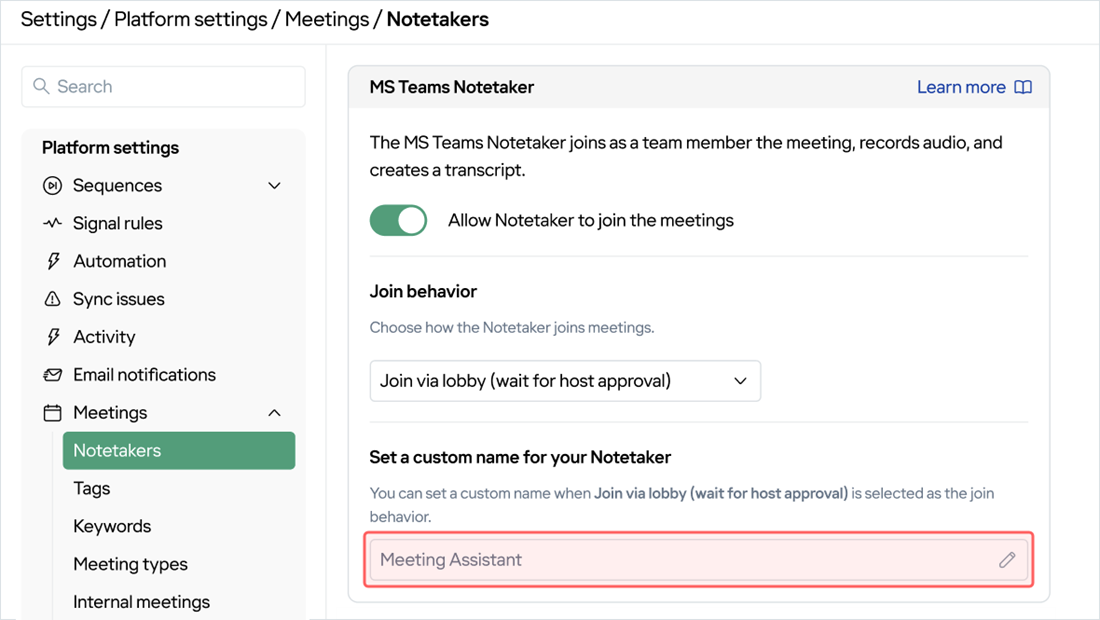
Admins can now configure a custom Notetaker name in Settings → Platform settings → Meetings → Notetakers.
Once configured, the custom name appears:
in the meeting lobby
in the participant list
in the meeting chat when the Notetaker posts its disclaimer message
If no custom name is configured, the default Notetaker name is used.
Custom names are available only when the Notetaker join behavior is set to Join via lobby.