

Track account engagement with the new Engaged Accounts tab#
Managers and team members can now track account engagement more easily with the new Engaged Accounts report, which provides a clear overview of all account activity for each employee.
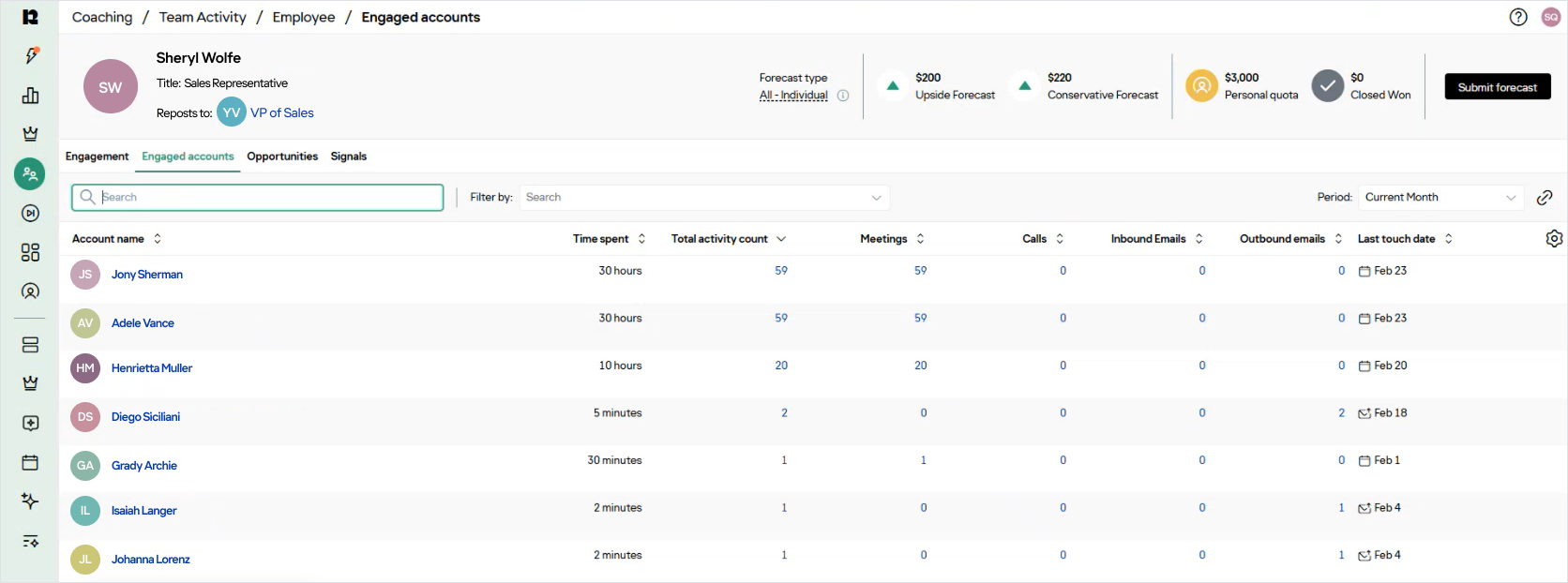
The new Engaged Accounts report on the Employee page gives managers and team members better visibility into how actively an employee interacts with their assigned accounts. It consolidates key engagement metrics over a selected time period, making it easier to understand activity levels and identify where attention is needed.
The report includes:
Account name – The name of the engaged account.
Time spent – Total time spent on all logged activities with the account.
Total activity count – Number of unique activities recorded for the account.
Meetings & Calls – Total meetings and calls with the account.
Inbound & Outbound emails – Number of emails exchanged.
Last touch date – Date of the most recent interaction with the account.