

Filter recipients by “Date recipient added” in sequences#
Quickly analyze engagement for specific prospect cohorts using the new Date recipient added filter in sequences.
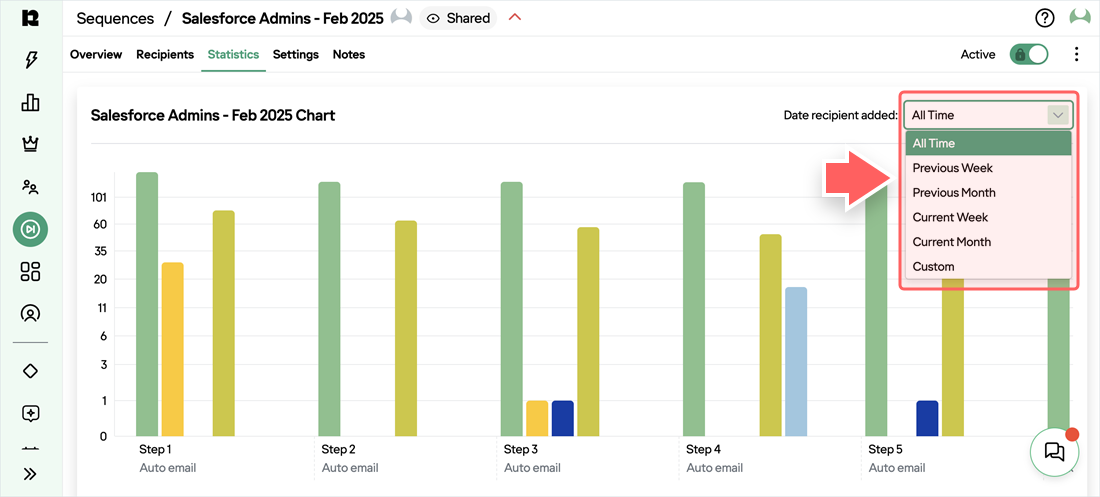
You can now filter recipients in the Recipients and Statistics tabs by the date they were added to the sequence.
A new Date recipient added column also appears in the recipients list, so you can sort by when each prospect was added to the sequence.