

Forecast types on the Pipeline page#
The Pipeline page now supports Salesforce and HubSpot forecast types, allowing you to switch between different forecast perspectives — like Amount, Quantity, or Product Family — directly in Revenue Grid.
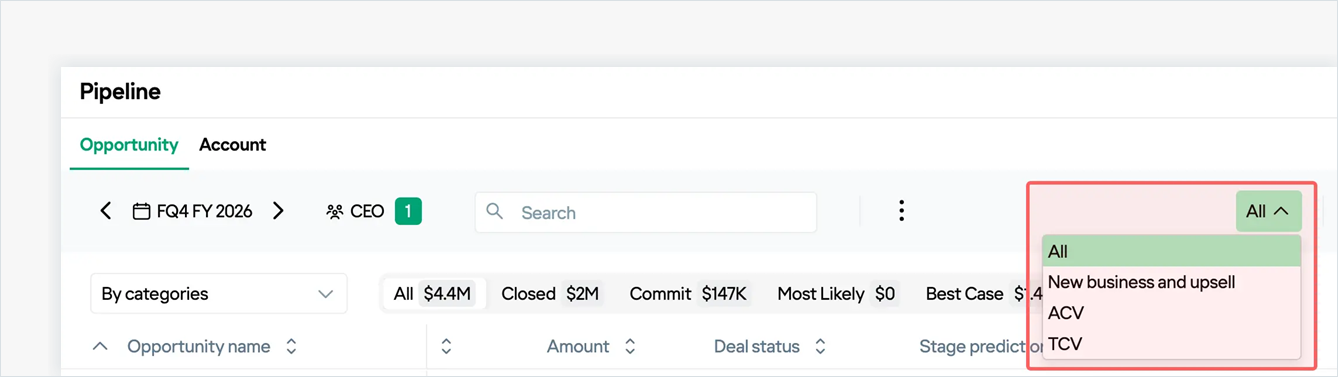
A new forecast type dropdown appears in the Pipeline header. Forecast types added or removed in the CRM are picked up on the next import.
Selecting a forecast type filters the pipeline table and updates the table-based statistics.
It also reshapes Pipeline Insights:
if the forecast type has its own Quota, that quota is used
if it specifies a custom Amount field, that field replaces the default Amount in Pipeline Insights, average deal size won, and the stage and category aggregates
When a forecast type doesn’t specify an Amount, only its filters apply.
Limitations:
Only Opportunity-based forecast types are supported in this release — Opportunity Product is not yet covered.
Forecast types whose Amount field isn’t a currency are hidden from the dropdown.
Close Date as a measure is not supported yet.
This change doesn’t affect prediction logic.