

Synchronize S/MIME-signed emails with Salesforce#
Revenue Grid Sync now supports automatic synchronization of incoming and outgoing S/MIME-signed emails in Microsoft 365, helping capture signed business correspondence in Salesforce alongside regular emails.
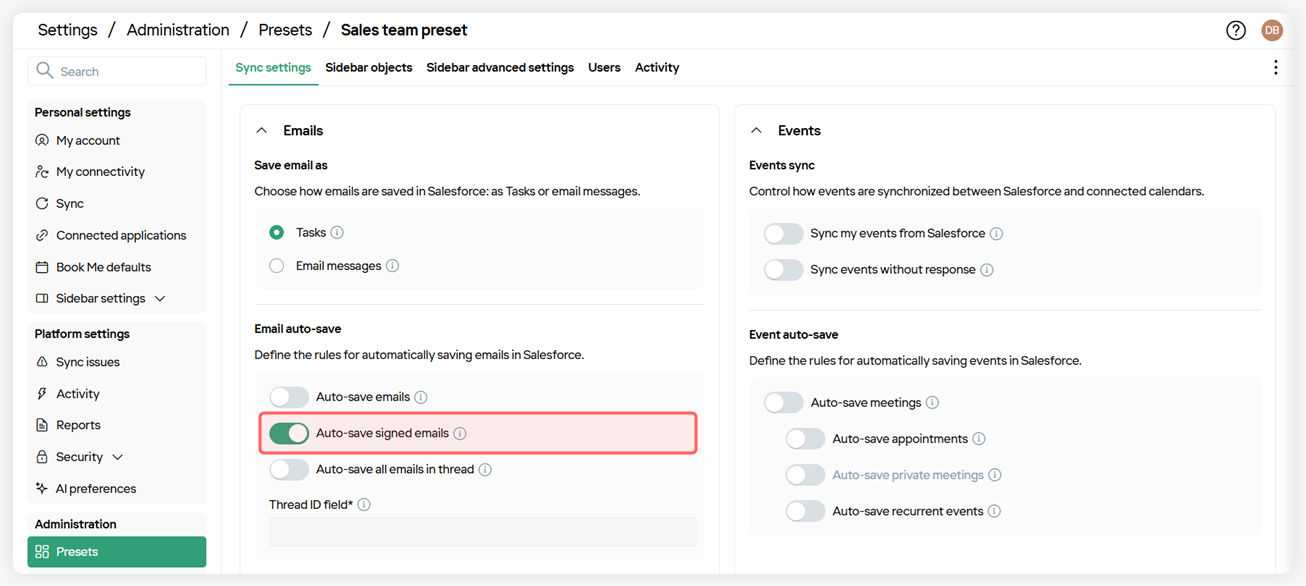
The new Auto-save signed emails setting controls whether Revenue Grid Sync can process S/MIME-signed emails through:
Automatic email synchronization
Assigning the Salesforce category
Using Quick save to Salesforce
When enabled, signed emails follow the same synchronization rules and validations as regular emails.
Administrators can configure Auto-save signed emails for each settings preset under Sync settings → Emails → Email auto-save.
When the setting is disabled, users can still save S/MIME-signed emails through the Sidebar.