

More control over sync settings for admins and users#
Admins and users now have access to expanded sync settings in Revenue Grid, providing finer control over how emails, events, and attachments are synchronized.
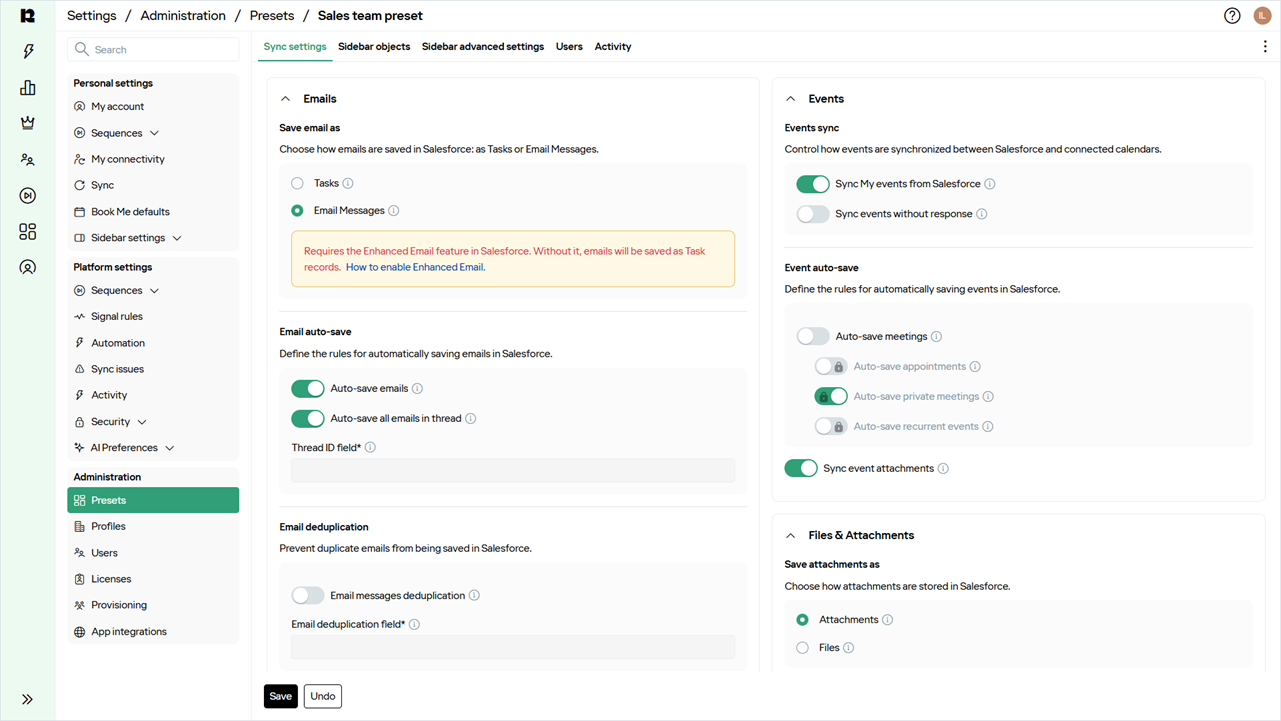
We’ve broadened the range of sync options available to make synchronization more transparent and easier to customize.
What’s new for admins#
Admins can now configure additional sync parameters through settings presets, including:
email storage
calendar event syncing
auto-sync behavior
attachment handling
Updating presets lets you roll out consistent sync rules across teams with minimal effort.
What’s new for users#
In Personal settings → Sync → Events → Event auto-save, users now have more control over how their meetings and appointments are synced.