

Write emails faster with AI-powered help#
Turn rough ideas into polished messages using built-in AI writing support in sequence email steps and templates. Instead of writing from scratch, use the Help me write tool to describe what you want and let the AI create a ready-to-edit draft.
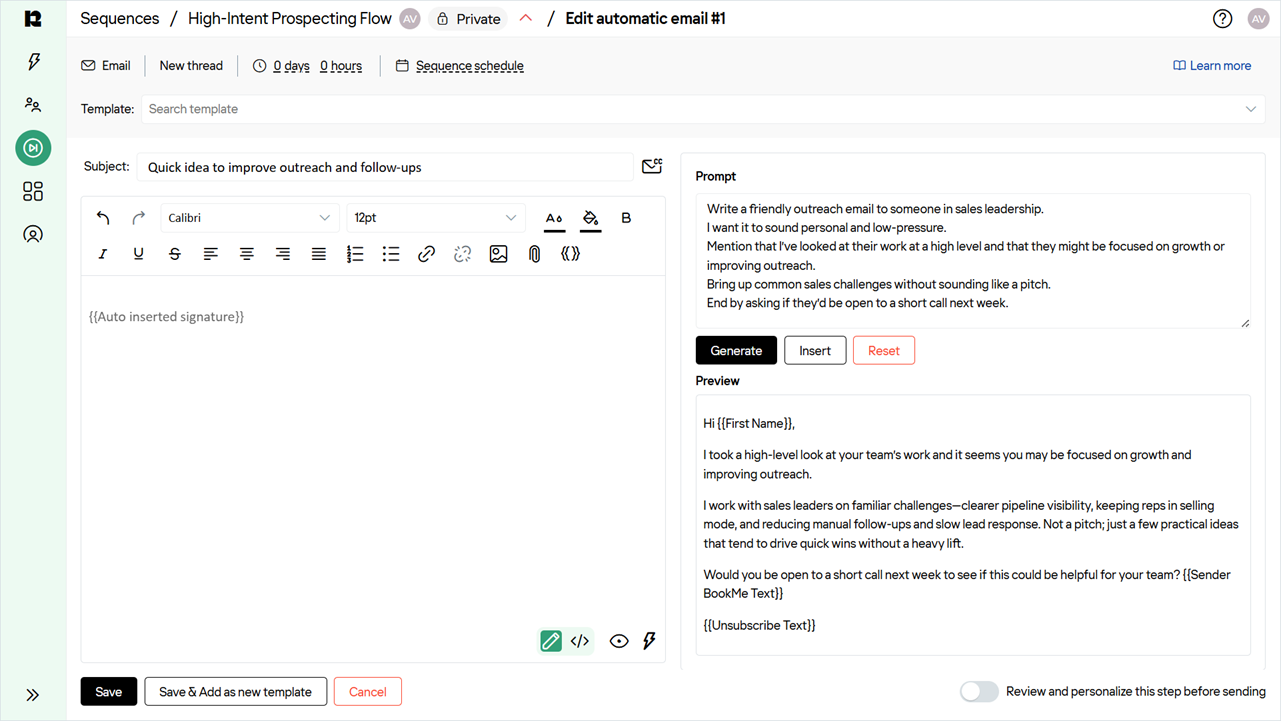
The feature understands the full sequence context, so your message flows naturally and avoids repeating content from earlier steps. It also recognizes merge fields like {{First Name}} or {{Company}} and keeps them in place to personalize your message.
To use it, select the lightning icon in the email editor, enter your prompt, and click Generate. You can refine the result as many times as needed and insert it directly into the email editor.