

Track revenue alongside engagement in the Engaged Accounts report#
See how engagement turns into revenue with new revenue metrics in the Engaged Accounts report. Compare time spent and activities with actual revenue for the selected period to better understand Time-to-Revenue across your accounts.
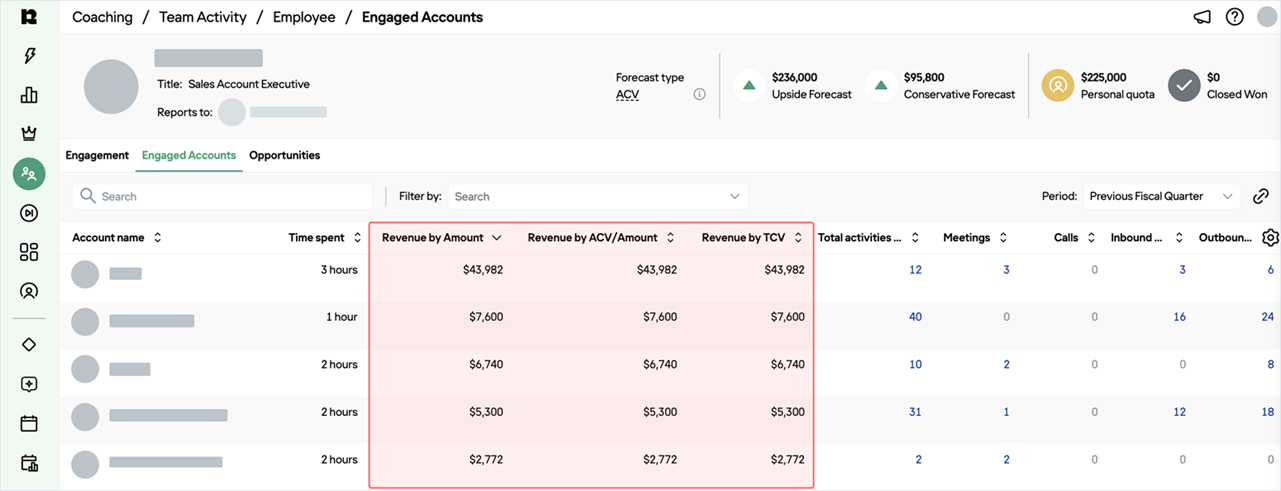
The report automatically pulls revenue from Opportunities that meet the following criteria:
Stage is Closed Won
Close Date falls within the selected reporting period
Opportunity is linked to the Account shown in the table
We support all Currency and Formula (Currency) fields on the Opportunity object. This means you can track revenue based on the standard Amount field or any custom currency fields your organization uses. Each field is calculated separately and displayed as its own column, so you can analyze results in the way that matches your forecasting setup.
You can sort revenue columns and manage their visibility in the Table actions () to focus on the metrics that matter most to your team.