

Sequence owners can now remove any recipient#
Sequence owners can now remove any recipient from a sequence, not just those they own. This helps teams keep sequences up to date and aligned with active outreach strategies.
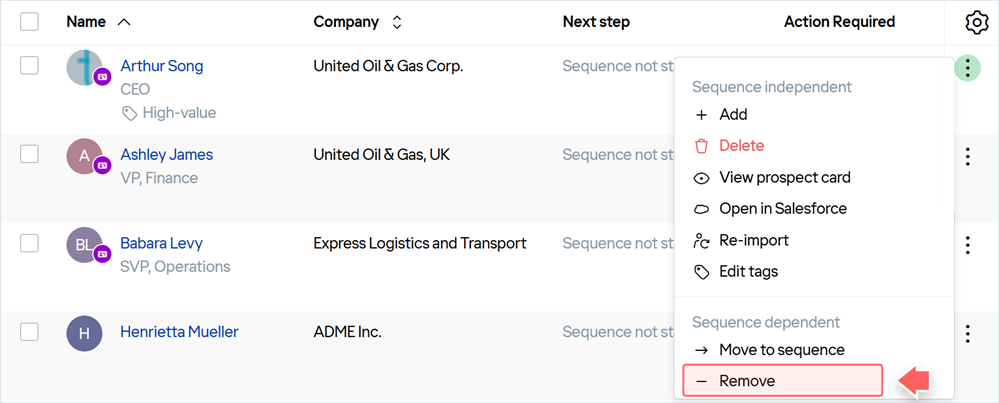
To remove a prospect from the sequence:
Click the three-dot menu on the prospect and select Remove.