

Export your pipeline to a CSV file#
You can now export your pipeline as a CSV file, making it easier to share opportunity data with stakeholders who do not use Revenue Grid.
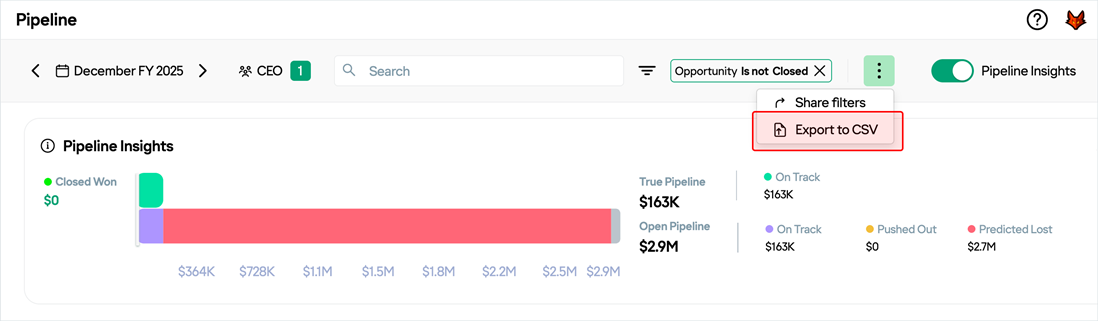
Exporting your current pipeline view — including applied filters — takes just a few clicks.
To export the pipeline:
Open the Pipeline page.
Click the three dots in the top ribbon.
Select Export to CSV.
A CSV file will be downloaded to your device.
This export provides a clean, shareable CSV version of your pipeline, ideal for external reporting, collaboration, or offline analysis.