

Customize evaluation criteria for each meeting type#
Administrators can now configure evaluation criteria separately for each meeting type, helping ensure sales calls, discovery meetings, and other conversations are evaluated against criteria that match their purpose.
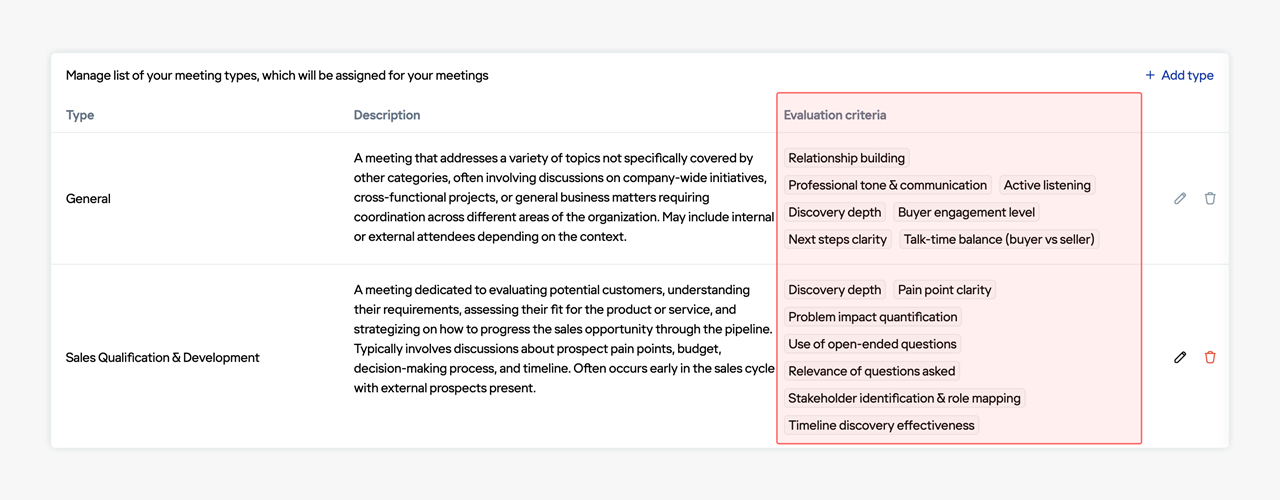
To configure evaluation criteria:
Go to Settings > Platform settings > Meetings > Meeting types.
Add a new meeting type or edit an existing one.
Select 5–7 evaluation criteria manually, or click Generate evaluation criteria to let AI suggest criteria based on the meeting type’s name and description.
Select Save.
You can update the selected criteria at any time as your evaluation process evolves.