

Explore the redesigned Meetings page#
The redesigned Meetings page makes it easier to review meeting content and participation, with dedicated tabs for transcripts and notes and more detailed attendee information.
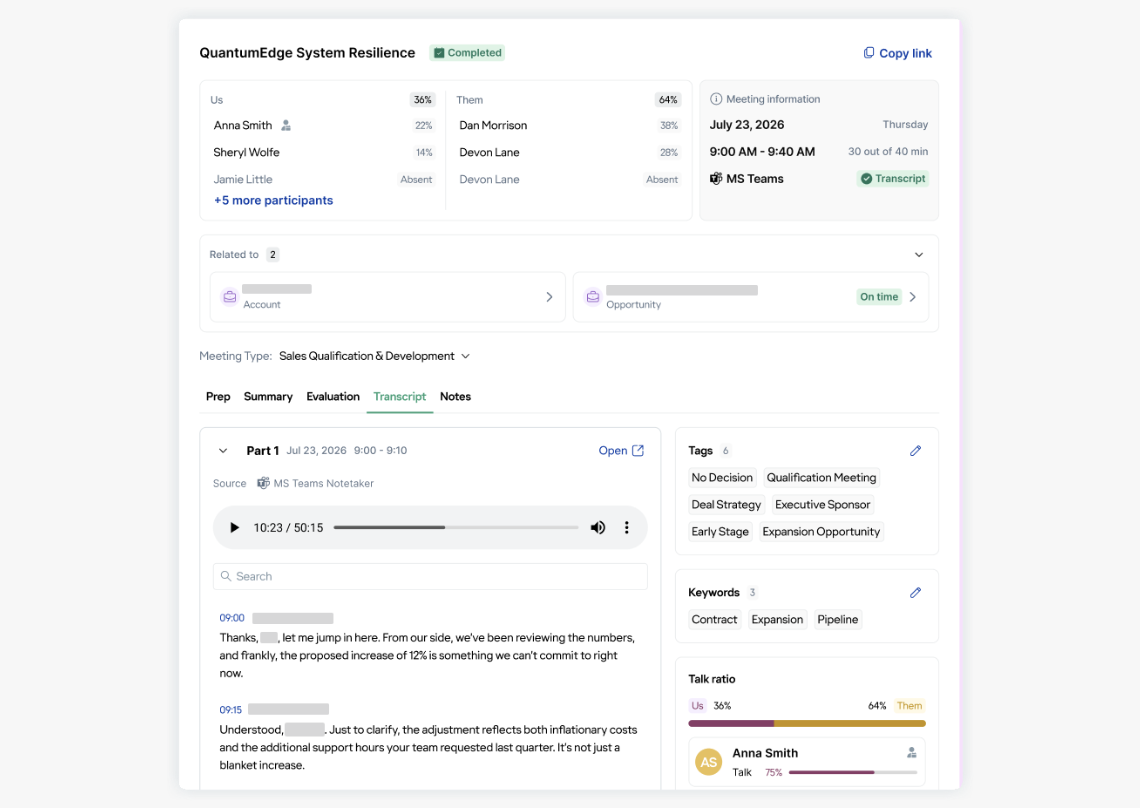
The new Transcript tab brings together the recordings and transcripts available for a meeting. When a meeting has multiple calls, each call appears as a separate part with its recording, transcript, date, and time. You can also review attendance, transcript sources, tags, and keywords in the same tab.
Notes now have their own tab, while the Summary tab focuses on the meeting summary and action items.
Attendee information now reflects the meeting status:
For scheduled meetings, you can see whether invitees accepted, declined, or haven’t responded.
For completed meetings, you can see each attendee’s participation, including their talk percentage or Silent and Absent statuses.
We’ve also refreshed the meeting list and meeting cards, moved the meeting type above the tabs, and improved the Send options for sharing meeting content with internal attendees or specific recipients.