

Segment engagement by account details in the Engaged Accounts report#
Add more context to your Engaged Accounts report by displaying key Account data directly in the table. Include fields such as Industry, Tier, or Region to understand how engagement differs across account segments.
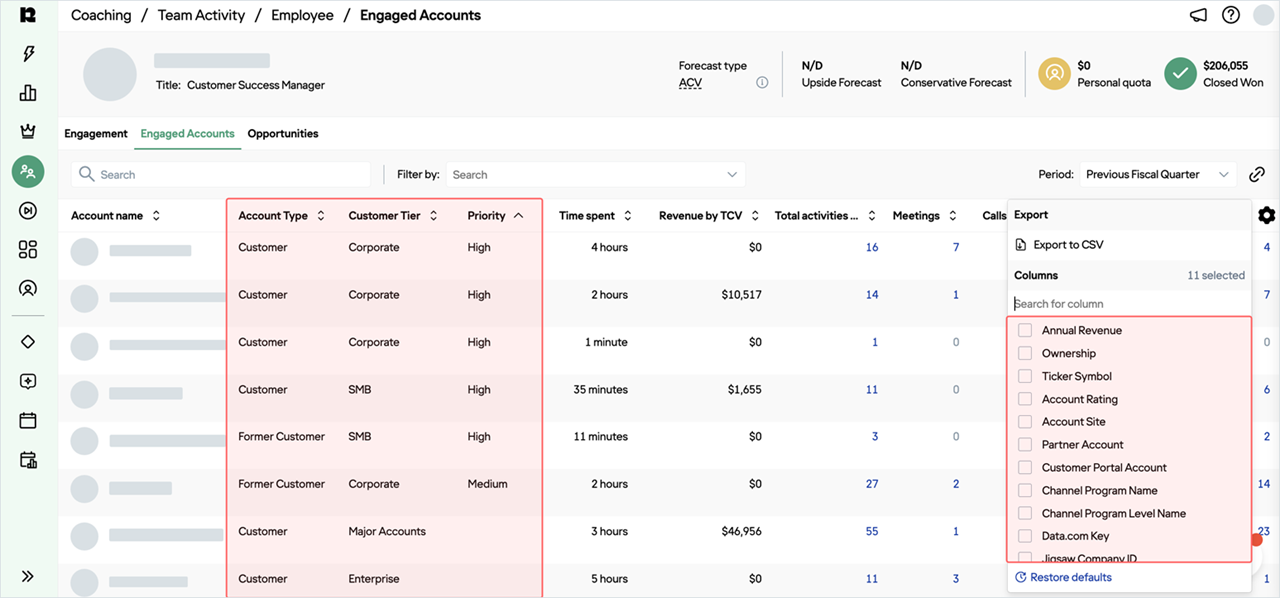
The Engaged Accounts report now allows you to select and display fields from the Account object as additional columns in the table. This helps you analyze engagement patterns based on the account data your team relies on.
Supported field types include:
Text (String)
Picklist
Currency
Boolean
All Account fields are hidden by default. To add them to the table, open the Table actions () menu and select the fields you want to display. The table shows values directly from the related Account record.
Added columns support standard sorting and filtering, so you can quickly group and narrow down accounts based on specific criteria.