

Meeting Summary#
Meeting Summary ensures that every sales meeting is well-documented and actionable. This feature automatically captures key discussion points, action items, and meeting notes, structuring them into a concise summary that can be shared with prospects, managers, and stored in the CRM for future reference.
Key benefits#
Eliminates manual note-taking and CRM updates
Provides a structured summary of discussions and next steps
Enhances collaboration by making meeting insights easily accessible
Helps sales managers track meeting outcomes without interrogating reps
Note
Currently, Meetings Summaries are tailored only for customer-facing meetings. Support for non-customer and internal meetings is planned for a future update.
View meeting summary#
Summaries are generated automatically within 15-20 minutes after the meeting ends. They are available in the Meetings IQ tab on the Revenue Grid platform.
To view a meeting summary:
Sign in to the Revenue Grid platform.
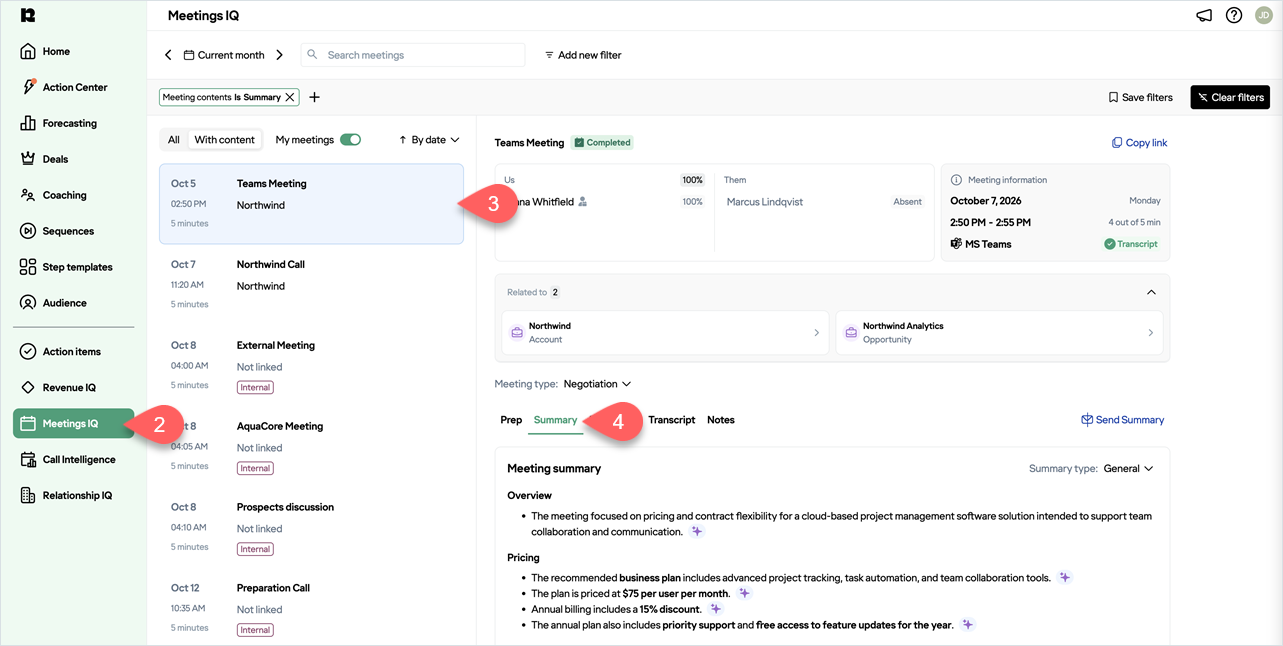
Go to Meetings IQ.
Find the necessary meeting on the left-hand side list of meetings.
Go to the Summary tab in the right-hand part of the screen.
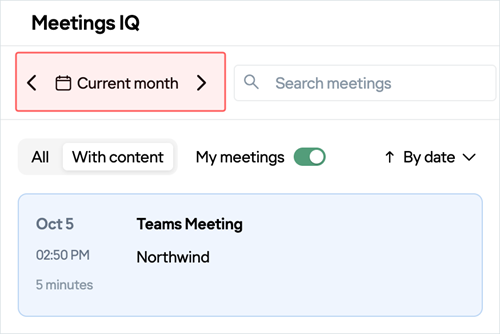
If the meeting occurred in the past (yesterday or a few days ago), use the date selector in the upper-right corner of the page to view past periods.
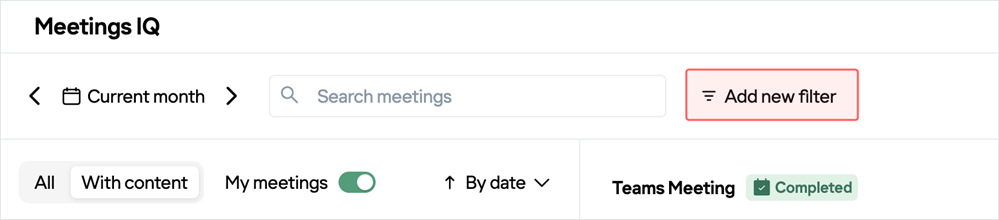
Additionally, to narrow down the list of meetings, you can also apply filters be clicking Add filters and selecting the necessary parameters.
Meeting visibility and access#
Meetings summaries are automatically made visible to:
Meeting participants – Everyone invited to the meeting
Managers of meeting participants – Ensuring visibility for leadership oversight
Prerequisites for meeting summary generation#
Meeting summaries will only be generated if the following conditions are met:
The meeting organizer has MS Teams or Zoom connected
The meeting is recorded with a transcript enabled
The meeting organizer is present at the meeting
Meeting summary structure#
Every meeting summary contains several sections. These sections are customizable based on your sales process. To tailor summaries to your organization’s needs, reach out to our team.
Default meeting summary sections:
Topic – The subject of the discussion
Overview – Attendance report, including each speaker’s talk time percentage
Business topics that prioritize:
Prospect’s needs and pain points
Identified risks and deal blockers
Key documents shared or requested
Decision-making process insights
Next steps and follow-up meeting scheduling
Action Items – Tasks assigned during the meeting, including:
Document or information requests from prospects/customers
Commitments made by the sales team
Follow-up meeting scheduling
Note
Action items are only provided for meetings that are mapped to an active opportunity.