

Configure the Microsoft Teams integration#
Meetings IQ requires access to Microsoft Teams meeting data and transcripts to process meetings and generate meeting artifacts.
To configure the integration, complete the following steps:
Enable transcript API access in Microsoft Teams to allow Revenue Grid to access meeting transcripts through Microsoft Graph and identify individual speakers.
Grant the required Microsoft Graph permissions to allow Revenue Grid to access the Microsoft Teams data required by Meetings IQ.
Enable transcript API access in Microsoft Teams#
Microsoft Graph access to Teams meeting transcripts is disabled by default. Even if you grant Revenue Grid the required Microsoft Graph permissions, Meetings IQ cannot access meeting transcripts until you enable transcript API access for your Microsoft Teams organization.
You must also enable speaker attribution so that transcripts retrieved through Microsoft Graph identify meeting speakers.
Before you begin#
Make sure you have access to the Microsoft Teams admin center and permissions to manage meeting settings for your organization.
Steps#
Open the Teams admin center.
In the left navigation, go to Meetings > Meeting settings.
Under Transcript API access, turn Microsoft Graph access on.
Select Configure.
Turn Include speaker attribution on.
Microsoft Teams can now provide meeting transcripts with speaker attribution to authorized apps through Microsoft Graph.
For more information about these settings, see Microsoft documentation on managing transcript API access for Teams meetings.
Grant the Microsoft Graph permissions#
Meetings IQ requires the following Microsoft Graph permissions:
Chat.Read
OnlineMeetings.Read
OnlineMeetingTranscript.Read.All
OnlineMeetingArtifact.Read.All
Grant these permissions by configuring the Microsoft 365 app-only connection for the applicable Revenue Grid profile.
Before you begin#
Make sure the following requirements are met:
You have a platform admin or profile admin account in Revenue Grid.
You have a Microsoft Entra account authorized to grant tenant-wide admin consent for the required Microsoft Graph permissions.
Steps#
Sign in to the Revenue Grid web app.
In the upper-right corner, click the profile icon and select Settings.
Under Administration, select Profiles.
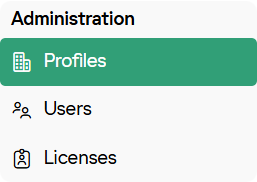
Open the profile you want to configure and go to the Connectivity tab.

In the Email configuration section, select Disconnect to break the current connection if any.
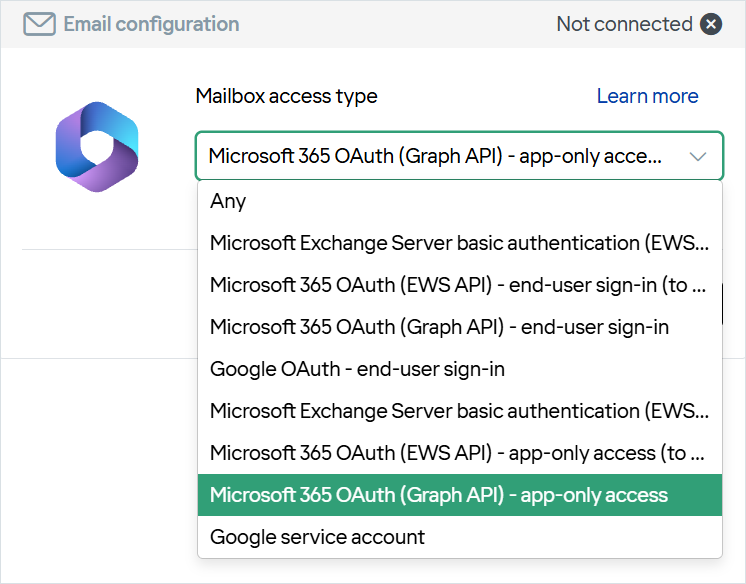
In the Mailbox access type field, select Microsoft 365 OAuth (Graph API) - App-Only logon.
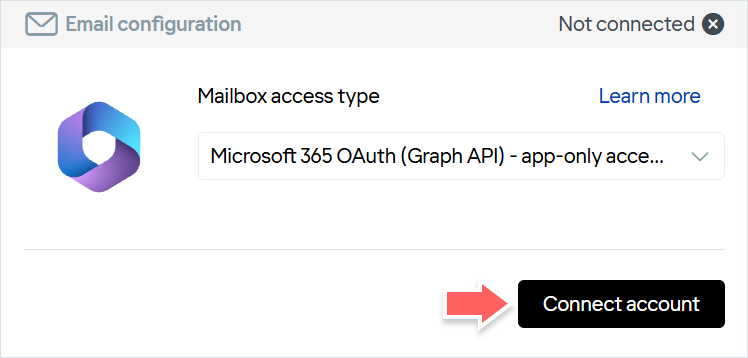
Click Connect account. This opens the Microsoft sign-in and consent dialog.
Sign in using your Microsoft 365 admin credentials.
Review the required permissions and select Accept to consent.
Revenue Grid can now access the Microsoft Teams data required by Meetings IQ for users associated with the configured profile.