

Set up email notifications for Meetings IQ#
Meetings IQ can automatically send emails with AI-generated meeting artifacts to users in your organization.
As a platform administrator, you can choose which email notifications are sent and who receives Prep, Summary, and Evaluation emails.
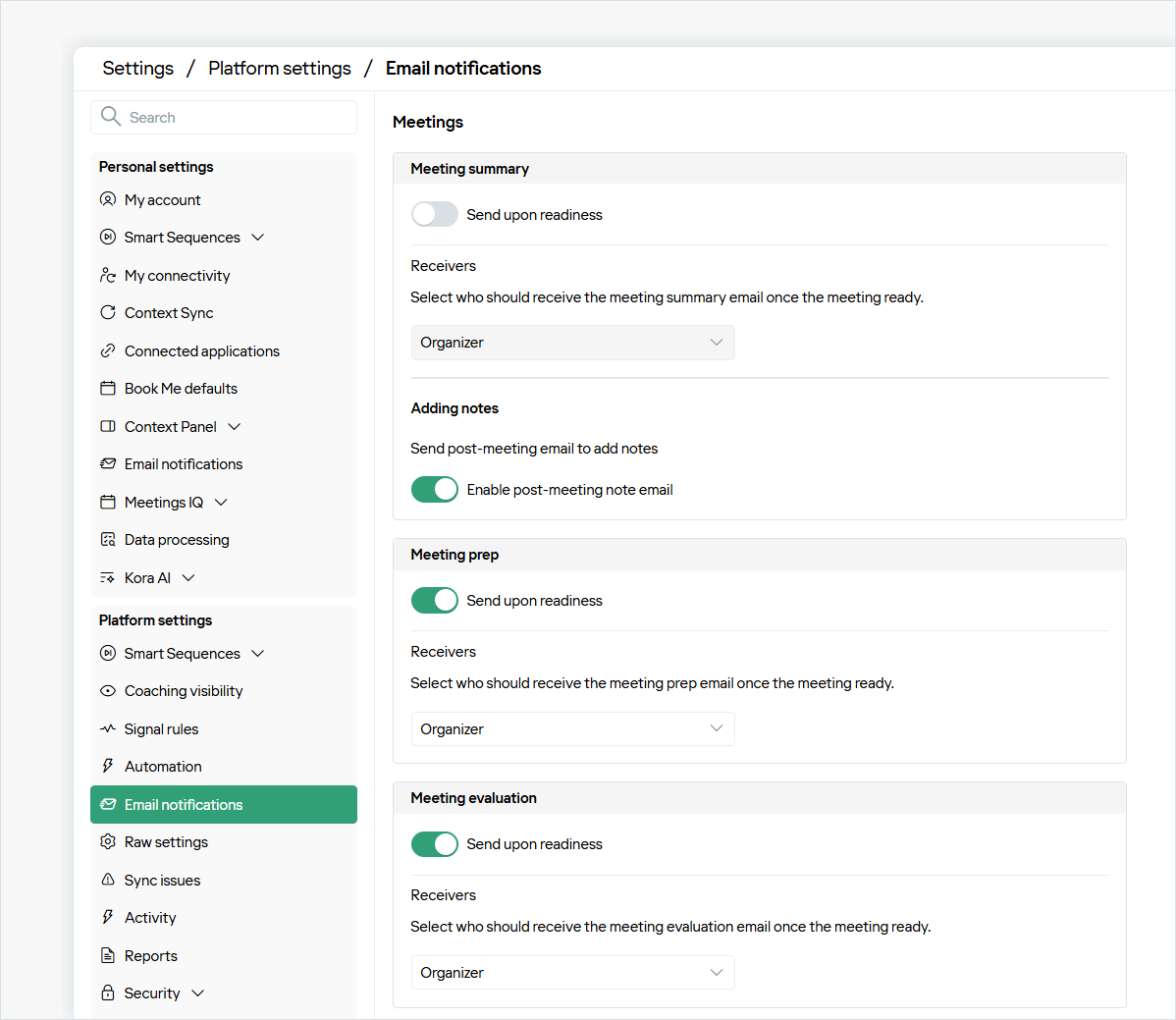
Configure email notifications#
Sign in to the Revenue Grid platform.
In the top-right corner, click the profile icon and select Settings.
Go to Platform settings > Email notifications.
Configure the required settings for each email type.
Select Save.
Meeting prep#
Use the Meeting prep section to configure emails sent before a meeting.
Send upon readiness#
Enable Send upon readiness to automatically send the meeting prep email when it is generated.
Receivers#
Select who should receive the meeting prep email.
Option |
Description |
|---|---|
Organizer |
Sends the email to the meeting organizer if they are a Revenue Grid user. |
All attendees with Meetings IQ enabled |
Sends the email to all internal meeting attendees who are Revenue Grid users with Meetings IQ enabled. |
All internal attendees |
Sends the email to all internal meeting attendees, regardless of whether they have a Revenue Grid license. |
Meeting summary#
Use the Meeting summary section to configure email notifications sent after a meeting summary is generated.
Send upon readiness#
Enable Send upon readiness to automatically send the meeting summary email as soon as the summary is ready.
Receivers#
Select who should receive the meeting summary email.
Option |
Description |
|---|---|
Organizer |
Sends the email to the meeting organizer if they are a Revenue Grid user. |
Organizer and linked record owner |
Sends the email to the meeting organizer and the owner of the CRM record linked to the meeting, such as an opportunity or account. If the meeting is linked to multiple CRM records, each unique owner receives one email. |
All attendees with Meetings IQ enabled |
Sends the email to all internal meeting attendees who are Revenue Grid users with Meetings IQ enabled. |
All internal attendees |
Sends the email to all internal meeting attendees, regardless of whether they have a Revenue Grid license. |
Adding notes#
Turn on Enable post-meeting note email to send a reminder email to internal meeting attendees at the scheduled end of the meeting.
The email lets attendees quickly add meeting notes, risks, decisions, and next steps from their mobile device while the discussion is still fresh.
Meeting evaluation#
Use the Meeting evaluation section to configure emails sent after a meeting evaluation is generated.
Send upon readiness#
Enable Send upon readiness to automatically send the meeting evaluation email when it is generated.
Receivers#
Select who should receive the meeting evaluation email.
Option |
Description |
|---|---|
Organizer |
Sends the email to the meeting organizer if they are a Revenue Grid user. |
All attendees with Meetings IQ enabled |
Sends the email to all internal meeting attendees who are Revenue Grid users with Meetings IQ enabled. |
All internal attendees |
Sends the email to all internal meeting attendees, regardless of whether they have a Revenue Grid license. |
How recipient selection works#
Each recipient receives only one email. If a person matches multiple recipient rules, Revenue Grid sends only one email.
User-level notification settings are respected. Platform settings determine who is eligible to receive meeting emails, while each user’s notification settings determine whether those emails are delivered.
Meeting summary emails can include linked record owners. When Organizer and linked record owner is selected, the meeting organizer and the owners of linked CRM records receive the email. If the organizer is also a record owner, only one email is sent.