

About Kora AI#
Kora AI is a conversational AI assistant built into Revenue Grid. It helps you get answers about your deals, accounts, contacts, emails, and meetings through a chat interface, without switching between apps or searching through your CRM.
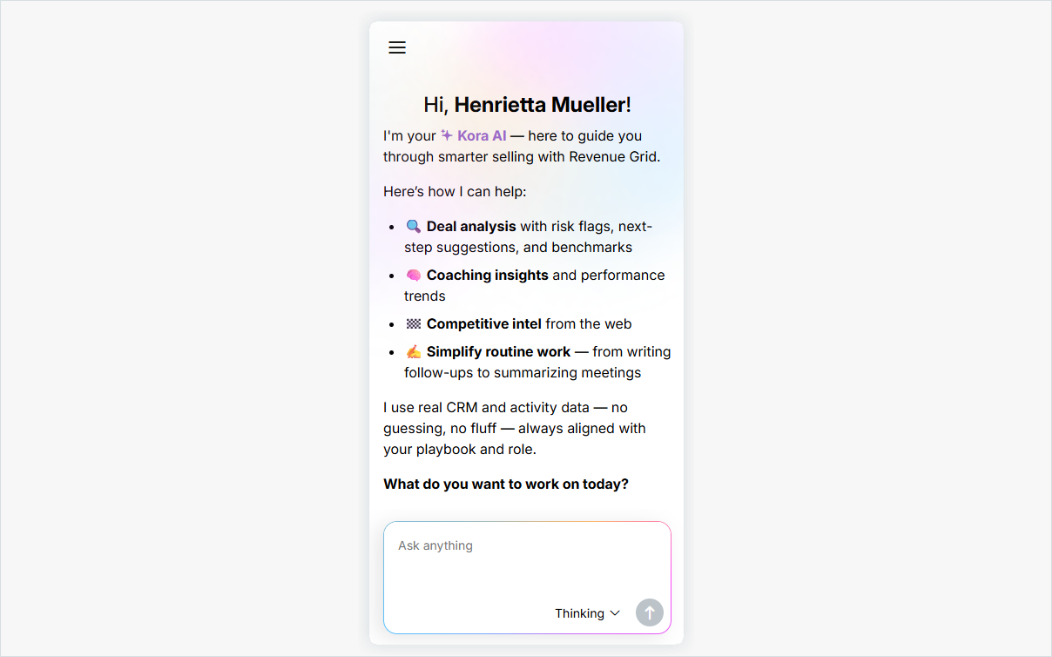
You can ask questions in plain language, such as:
“What are the open tasks for the Acme onboarding?”
“What should I know before my meeting with Acme Inc.?”
“Who hasn’t responded to my last email?”
“Which opportunities have gone cold?”
Kora AI responds based on your CRM and communication data, helping you quickly understand what’s happening and what to do next.
Two editions: Kora AI and Kora AI Lite#
Kora AI is available in two editions:
Kora AI Lite
Designed for day-to-day inbox and CRM workflows. It can:
Look up CRM records
Read emails and calendar events
Summarize email threads
Help draft replies
Kora AI (full edition)
Includes all Kora AI Lite capabilities, along with additional data access and automation features.
It can:
Access meeting transcripts, summaries, and AI-generated insights from other Foresight components, including deal risks, predictions, recommended next steps, and action items.
Update CRM records directly from chat.
Analyze data across multiple records.
Deliver a proactive daily priority brief.
Where to find Kora AI#
You can access Kora AI in the places where you already manage your work, so you can ask questions without interrupting your workflow.
Kora AI (full edition)
Available in:
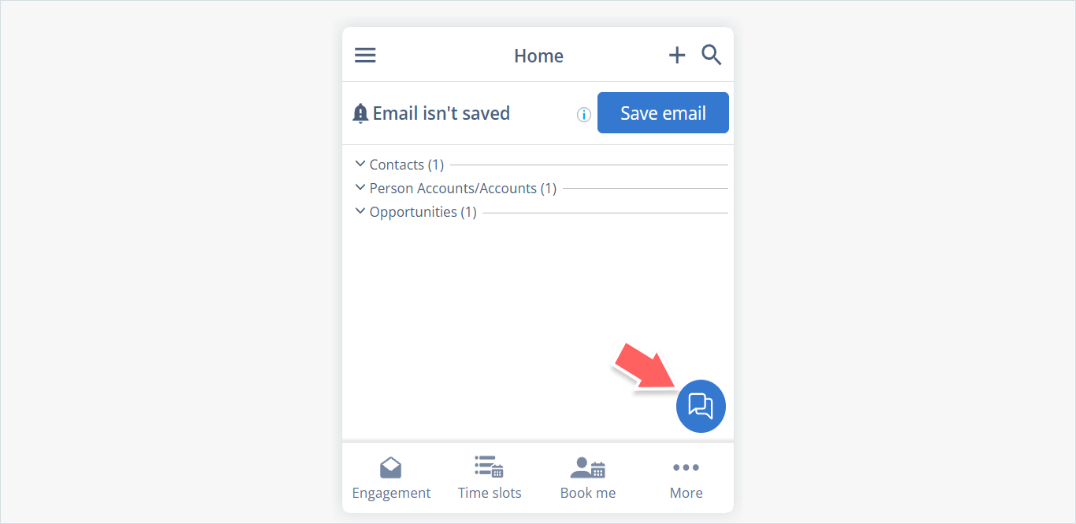
Revenue Grid Platform — Open the chat in the lower-right corner to use Kora AI alongside your current view.
Context Panel (Outlook or Gmail) — Access Kora AI while working with emails and meetings.
Salesforce — Access Kora AI through the RG Chat widget if you have version 1.99 or later of the Revenue Grid managed package installed.
On mobile devices, Kora AI opens in full-screen mode on the Revenue Grid Platform for easier interaction.
Kora AI Lite
Available in the Context Panel only.
To learn how to start working with Kora AI, see Getting started with Kora AI.
What Kora AI can help you with#
When you open the Kora AI chat, you’ll see suggested prompts to help you get started. You can select one or type your own question.
CRM data#
Ask about opportunities, accounts, and contacts. For example:
“What deals do I have closing this month?”
“Give me a summary of the Acme account.”
Both editions support CRM lookups. The full edition also can update CRM records directly from chat.
To learn more, see:
Note
Kora AI accesses only the data that Revenue Grid is authorized to retrieve from your CRM. For details, see Default CRM data snapshot.
Emails and meetings#
Both editions can:
Read emails and calendar events
Summarize email threads
Help draft replies
The full edition also can access meeting transcripts and summaries from Meetings IQ.
AI-generated insights (Kora AI only)#
Kora AI can access AI-generated insights from other Foresight components to help you understand your opportunities, prepare for meetings, and identify next steps. These include:
Opportunity, account, and contact summaries
Meeting preparation and follow-ups
Action items
Deal risks, predictions, and recommended next steps
Proactive notifications (Kora AI only)#
The full edition delivers a daily priority brief at the start of your workday, helping you focus on what matters most.
To learn more about proactive notifications, see Get proactive daily priority briefs in Kora AI.
Data use and access control#
When you use Kora AI, it may access information in connected systems, such as CRM records, emails, calendar events, meeting data, and other business information, as needed to answer your questions and provide AI-powered functionality.
Data from connected systems is generally retrieved when needed and is not stored by Kora AI as a separate system of record. Relevant information may be used in generated responses and conversation context to complete your request.
Kora AI may retain information related to your interactions with the chat, including conversation history and messages, generated responses and summaries, conversation context and metadata, and user-specific context used to maintain continuity across conversations.
Kora AI follows your Salesforce and Revenue Grid visibility settings and can access connected business data only within the permissions available to you. The specific information processed or retained may vary depending on the features you use, your organization’s configuration, and applicable product and retention settings.
All data is processed according to Revenue Grid’s Privacy Policy and AI Functions Terms and Conditions.
Customization and adaptability#
Kora AI becomes more effective when configured to reflect your company’s structure and messaging.
Kora AI (full edition)
Configured by Revenue Grid Support during the Foresight rollout, based on information provided by your team.
Kora AI Lite
Configured by local admins in the AI Preferences section of the Revenue Grid Platform settings. This includes:
Company name
Competitors
Company description
Sales enablement information
The quality of this information directly affects response accuracy.
For setup instructions, see Configure Kora AI Lite for your organization.